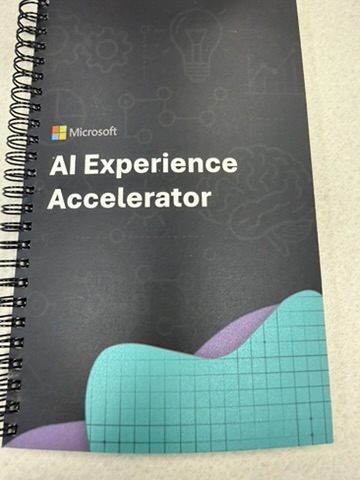
I went to Chicago expecting slides. I got a working session instead. That was the first sign this day was going to be different.
Not What I Expected

When I signed up for Microsoft’s AI Experience Accelerator, I braced myself for a full day of keynote energy — big claims, polished demos, a lot of nodding along. What I got instead was a room of retail businesses rolling up their sleeves and working through real problems together. From 9 a.m. breakfast through a 4:30 wrap and then up to the 70th floor for a networking social, every hour had a purpose.
There were three of my Kwik Trip coworkers in the room alongside five other retail companies. The stated goal was to validate, inspire, and expand AI opportunities — and the format actually delivered on that, which is not something I say about a lot of conference-style days.
The Icebreaker That Wasn’t Just an Icebreaker
We kicked things off with Jurassic Survival. The premise: your table has to decide whether to contain the dinosaurs in Jurassic Park or evacuate. We chose contain. What made it useful wasn’t the decision itself — it was hearing how differently people approached it. Some went straight to logistics. Others asked about the perimeter. A few questioned the whole premise.
That’s the point, of course. Before you dive into AI use cases, you need people thinking laterally, questioning assumptions, and actually talking to each other. The icebreaker did double duty: it mixed the room and shifted everyone’s mindset at the same time. By the time we got to the real work, people were already thinking differently.
Walking the Wall
The main working activity was called “Walk the Wall.” The use cases on the wall weren’t handed to us — the room generated them through a structured brainstorm built around four questions:
- How might AI scale operational efficiency across the supply chain?
- How might AI enhance end-to-end customer experiences?
- How might AI enable data-driven decisions across future scenarios?
- How might AI improve employee productivity at scale?
Groups rotated through the questions, spending 5–10 minutes at each station. There were four questions total but you only visited three — at your third stop, you chose which of the two remaining questions to tackle. Everyone used post-it notes to capture ideas, which meant ideas could be moved around and grouped by theme as they accumulated. What struck me was how much overlap emerged. Retail companies from completely different segments, different sizes, different problems on paper — and we were all circling the same territory.
Then the Kwik Trip team came back together and consolidated — from everything we generated, we landed on six: a Case and Ticket Analyzer, One Support Agent to Rule Them All, an SOP/KBA Generator, a Customer Feedback Agent, a Vendor Management solution, and an SOP/KBA Coordinator.
None of the ideas I brought back from my individual walk made the team’s final six.
The one I was pushing for was a dietary restriction helper: scan a menu or ingredient list and get back a clear answer about what’s safe to eat and what modifications to request. I started thinking about customers with allergies or restrictions, then realized it applies just as much to coworkers traveling for work who are managing dietary needs on the road. The group’s honest assessment was that other use cases had clearer, more measurable ROI. Ticket analysis and vendor management are easier to quantify than dietary safety. Fair point. I still think there’s something there, but I understand why it didn’t make the wall.
The Use Case Card
Each use case on the wall had a one-page card that structured the thinking. Once we selected our use cases, we filled one out as a team. The card had three sections, each with a core question:
Use Case
- What does this use case accomplish? What key value does AI provide?
Empowering People
- How are humans empowered or assisted by this use case? Who benefits?
- How are humans kept in the loop? Who is responsible from IT? Who is responsible from the business?
Driving Business Value
- How does this use case move the business? What work is created or eliminated?
Here’s how the Kwik Trip team filled out the card for each of our six use cases.
Case & Ticket Analyzer
What does it accomplish?
- Find trending issues or questions to create knowledge
- Surface new issues that may require broader communication
- Expedite content and knowledge creation
- As a coworker, I want one place to find information and identify trends across multiple ticketing platforms
Who does it empower? Creates user-friendly instructions for anyone navigating support
Business value: Consistent, clear instructions; less time spent searching knowledge bases; more information documented and less living in people’s heads
One Support Agent to Rule Them All
What does it accomplish?
- Coworkers currently turn to multiple places to get information and services — this would be one agent for anything
- As a coworker, I want to verbally ask a question, get the information I need, and go to one place for any info, service, or support I need
- Orchestrator backed by an army of agents — a Studio Agent in-store, a Smart Agent in corporate environment and systems
Who does it empower? All coworkers — Knowledge Workers, HR, Customer Service
Business value: Less time spent searching for help; faster problem resolution
SOP/KBA Generator
What does it accomplish?
- Generates training materials for any job or task
- Uses visual AI to analyze a task and create step-by-step instructions, including voice
- Output in any format: HTML, DOCX, PowerPoint, KBA — including infographics and other visuals
Who does it empower? Knowledge workers — enables them to sift through content faster and continue growing in their careers
Business value: Helps departments learn faster; offers multiple learning formats for different users
Customer Feedback Agent
What does it accomplish?
- Evaluate and gather customer feedback appropriate to the process
- Score and filter data based on rules set by the business
- Run a human-in-the-loop confirmation step before acting
- Get customers helped faster
Business value: Frees up team capacity; faster time to resolution for customers
Vendor Management
What does it accomplish?
- Supplier search, portfolio review, and periodic reference — managing vendors end to end
Who does it empower? Procurement teams and Business Unit Leaders
Business value: Improved vendor experience; better reference for existing vendors; improved quality and onboarding accuracy
SOP/KBA Coordinator
What does it accomplish?
- Manages and maintains SOP/KBA content across the organization
- Provides a single place to find and update information
- Keeps documentation current and properly located
Who does it empower? Anyone who needs to find or maintain knowledge across the organization
Business value: Shared knowledge is easier to find and trust; reduces duplication across teams
What I’m Most Excited About
The use case that genuinely lit me up was One Support Agent to Rule Them All — one place where any coworker can get any information or service they need. Not a chatbot that answers FAQs. An orchestrator with a whole army of specialized agents working behind it, routing requests, pulling from the right knowledge base, and handing off to the right tool. The potential impact on coworker experience is enormous, and the business value case almost writes itself.
I’m also genuinely interested in Vendor Management. The idea of AI helping with supplier search, portfolio review, and ongoing vendor relationship management is something I’ve seen done poorly by hand for years. Getting intelligence into that process — not just automation, but actual analysis — feels like a real step forward.
The Framework That Stuck
The session introduced three AI orchestration patterns that I’ll be thinking about for a while. Pattern 1 is a human with an AI assistant — you’re still doing the work, just with help. It’s where we all start, and honestly where most of us currently are. Pattern 2 is human-led agents, where you’re directing agents that do more of the execution. Pattern 3 is human-led, agent-operated — you set the direction and the agents run with it. That will excite some of us and scare the rest of us, and both reactions are completely reasonable. Most of the Kwik Trip use cases landed in Patterns 2 and 3, which tells you something about where the real opportunity is.
The framing that helped most was the “Anatomy of an Agent” breakdown: knowledge, tools, triggers, an orchestrator, and foundational models underneath all of it. It’s easy to lump agents in with chatbots because they both involve conversation. They’re not the same thing. Agents think, remember, and act. That distinction matters when you’re deciding what to build.
What Made It Work
The format made the content land differently than it would have in a traditional conference session. You weren’t being told what AI can do in theory — you were applying it to your company’s actual problems, in the same room as people from other retail businesses who are wrestling with the same questions. That kind of cross-company conversation is hard to manufacture and more useful than any slide deck.
Energizing day. Day 2 is supposedly about how you actually make it happen when you get back — which is the question that matters most.

Related Posts
Already published:
- AI + PMO: The Manual Work You Should Eliminate First — Where to start when you want real results from AI in a project management context
- Building an AI Usage Policy Your Team Will Actually Follow — The Green-Yellow-Red framework for a one-page policy that provides real guidance
Next:
- Making It Real — AI Experience Accelerator Day 2 — How the room turned possibilities into plans, and what Kwik Trip is doing next
Coming Soon:
- Using AI for Difficult Stakeholder Conversations — When you know what you need to say but can’t figure out how to say it without blowing up the relationship